
Download UK Postcodes with Latitude and Longitude
Download a list of UK out code postcodes with their latitude and longitude coordinates.
Introduction
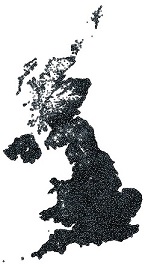
The UK postal system uses postcodes to help with automating the sorting and delivery of mail. This is made up of a 2-part code, an out code and an in code. As the out code is the most significant part of the system, it can be used to obtain a rough area level break up of the UK. There are approximately 2971 out codes and approximately 1.74M full postcodes (out code + in code).
Purpose
The uses of these out codes and lat/long values include mapping applications such as:
- • Rough distance calculation
- • Plot the rough location of a postcode on a map
- • Simple postcode validation for input forms
List Status
Outcode Postcodes Current List: 2952
Full UK Postcode Current List: 1800248 (correct on 12th July 2024)
Non Geographic Postcodes
Non geographic postcodes are listed below. Note these will have a latitude and longitude of an empty string:
AB99, BT58, CA99, CM92, CM98, CR44, CR90, GIR, IM99, IV99, JE5, M61, ME99, N1C, N81, NR99, NW26, PA80, PE99, RH77, SL60, SO97, SW95, SY99, WD99, WF90
Downloads
Full UK Postcode Latitude Longitude Download
Download the centroid coordinates of each UK Postcode. Only active (valid) postcodes are included.
- CSV ukpostcodes.zip (20MB zipped, 64MB unzipped)
- Header is in the first row:
id,postcode,latitude,longitude
- Header is in the first row:
- SQL Server MSSQL ukpostcodesmssql.zip (19MB zipped, 177MB unzipped)
- Uses a table named
[postcodelatlng] - Script to create table ukpostcodes_tablemssql.sql (1 KB)
- Uses a table named
- MySQL ukpostcodesmysql.zip (24MB zipped, 191MB unzipped)
- Uses a table named
[postcodelatlng] - Script to create table ukpostcodes_tablemysql.sql (1 KB)
- Uses a table named
Outcode Area Postcodes (AB1, B2, BT7 etc..)
- MSSQL postcode-outcodes-mssql.sql (293 KB)
- Uses a table named
[postcodelatlng] - Script to create table postcode-outcodes_tablemssql (1 KB)
- Uses a table named
- MySQL postcode-outcodes-mysql (280 KB)
- Uses a table named
postcodelatlng - Script to create table postcode-outcodes_tablemysql.sql (1 KB)
- Uses a table named
- CSV postcode-outcodes.csv (82 KB)
- Header is in the first row:
id,outcode,latitude,longitude
- Header is in the first row:
Copyright and Reproduction
As per: https://www.ons.gov.uk/methodology/geography/licences
You may re-use this information (not including logos or Northern Ireland data) free of charge in any format or medium, under the terms of the relevant data owners' licence. In addition, the following attribution statements must be acknowledged or displayed whenever the owners data is used:
Contains Ordnance Survey data © Crown copyright and database right 2021
Contains Royal Mail data © Royal Mail copyright and database right 2021
Source: Office for National Statistics licensed under the Open Government Licence v.3.0
Using This Data
To import to a web based MySQL database we would recommend BigDump: Staggered MySQL Dump Importer
Relevant Links
- OS OpenData Downloads
- Haversine Formula (Wikipedia)
- Distance calculation explanation (MathForum)
- Movable Type Lat/Long script
- MySQL UK postcode table with lat/lng
- Calculating distance & ranking postcodes
Version History
- 23rd August 2025 - Dataset refresh
- 12th July 2024 - Dataset refresh
- 27th February 2023 - Dataset refresh
- 9th August 2022 - MS SQL file updated. Empty lat/lng set to NULL
- 13th March 2022 - Dataset refresh
- 18th August 2021 - Dataset refresh
- 9th August 2021 - Dataset refresh
- 19th March 2021 - Decimal places reduced to 6
- 16th November 2020 - Dataset refresh
- 23rd March 2020 - Dataset refresh
- 12th July 2019 - Dataset refresh
- 19th May 2017 - General updates; non-geo postcodes empty lat/lng
- 4th January 2017 - Updated 54 lat/lng previously set to 99.9,0
- 23rd December 2016 - Removed ??? O?? (O is letter O)
- 17th October 2016 - Updates to data files
- 11th August 2016 - Updates to B9 4AU, MK11 4AL & DN189AH
- 22nd July 2016 - Updates to SW11 7AS, EX6 9AA, EN77 & WV98
- 16th November 2015 - Nov 2015 update
- 19th October 2015 - Removed some duplicates
- 23rd September 2015 - Postcode column now spaced correctly
- 7th May 2015 - Removed unused postcodes; ~3000 corrections
- 29th April 2015 - New update engine; added MS SQL & MySQL scripts
- 5th March 2015 - Added B37 7FP
- 16th July 2014 - Added BB12 7BF
- 9th February 2014 - Added S1 4DE
- 9th February 2014 - Updated full list; removed 222 duplicates
- 20th January 2014 - Removed rows 1699835, 1699836
- 11th September 2013 - Removed duplicate BD98, M60
- 1st August 2013 - Added full list CSV + SQL with 1.7M rows
- 15th September 2011 - Added E20 (Olympic Park Postcodes)
- 23rd Feb 2011 - Added many new postcodes (see original)
- 27th June 2009 - Added NR7
- 22nd Oct 2008 - Added Isle of Man/Jersey; removed XLS format
- 24th Aug 2008 - Added new postcodes
- 1st July 2008 - Added list status
- 10th June 2008 - Added SQL, CSV, XLS formats
Comments
ohh my bad, just realised its excel having a maximum number of rows
i can't find the post codes starting with C and starting with F... or is it somewhere in the file?
CXX to FXX ... can you give more detail on what you mean?
I think the postcodes are missing from CXX to FXX
+60
Hi, how have you calculated the outcode centoids, just out of question? I'm not aware of a data product that has this information already calculated. Grouped by the outcode and calculated mean long/lat, or taken the centroid of a voronoi polygon or similar? Thanks!
Ryan, we have just updated it.
Thanks again for putting this together. It's been a while since the last refresh - any plans for one soon?
Hi,we have Northern Ireland address data, and try to use it build our postcode data. I%u2019d like to also use `ukpostcodes.zip` as a reference in my internal process. My question is: is it OK according to the license? Thanks
I thought your system was free to use for personal use but I seem to get "No Results". You seem to be blocking people who are trying to use it for free. Would it not be better if you allow say 10 free results per day per customer or similar? Thanks.
Hi, is there a way to access also the older version of the file? I would need to find the location of old postcodes, which are no longer used.
A workaround is to open the CSV file in Notepad.
Hi, which file on the OS data hub are the lat + long pulled from? Thanks!
James, we have made a small update to the SQL download file (NULLS instead of empty string). With the new file, the following procedure should work:
Download and run this to create the table: https://data.freemaptools.com/download/full-uk-postcodes/ukpostcodes_tablemssql.sql
From a command prompt, run:
sqlcmd -S SERVER -d DATABASE -i -a 32767 C:\path\path\ukpostcodesmssql.sql
Hi, you could use a tool to split a CSV in to multiple files.
The postcode csv file is too large to download the full list into excel could (its missing data) you split the data into several tabs?
How are people managing to run the insert script on SQL? I'm using latest SSMS. Getting out of memory errors - have increased query size to 4096, and allowing SQL to use the full 32gb ram. I've added Go statements after each insert, and I've tried sqlcmd using C:\Windows>sqlcmd -S MYSQLSERVER -d MYDB -i "C:\db\backups\pc.sql" -E -a 32767 (without the -a I got communication link failure. Now sqlcmd doesn't error, but no records are inserted either. Other than splitting the file up in to 20 or so, which seems like admitting defeat, is there another way?
Hi, can you provide the script code for the distance between postcodes, i work for a Community Transport and need a simple way of costing the distance
DG2 8RX has been updated
Ryan, thanks for reporting this. The CSV has been updated with a header row and issue with line breaks fixed.
Showing the most recent 20 of 287 comments. See all comments.